

Instagram's collaboration feature allows you to co-author posts with other accounts, giving both creators equal visibility and credit. This guide will walk you through the process of adding a collaborator to your Instagram post.
What is Instagram Collaboration?
When you collaborate on a post, both you and your collaborator's usernames appear in the post header. The post will be shared to both accounts' feeds and the engagement metrics (likes, comments, shares) are combined. This is perfect for brand partnerships, influencer collaborations, or joint content creation.
Benefits of Using Collaborators
Increased reach to both audiences
Shared engagement metrics
Professional credit for all creators
Streamlined collaboration process
Enhanced discoverability
How to Add a Collaborator to a New Post
Step 1: Create Your Post
Open the Instagram app on your mobile device
Tap the + (plus) icon at the bottom center of the screen
Select "Post" from the options
Choose the photo or video you want to share
Apply any filters or edits you'd like
Step 2: Tag Your Collaborator
Tap "Next" to go to the share screen
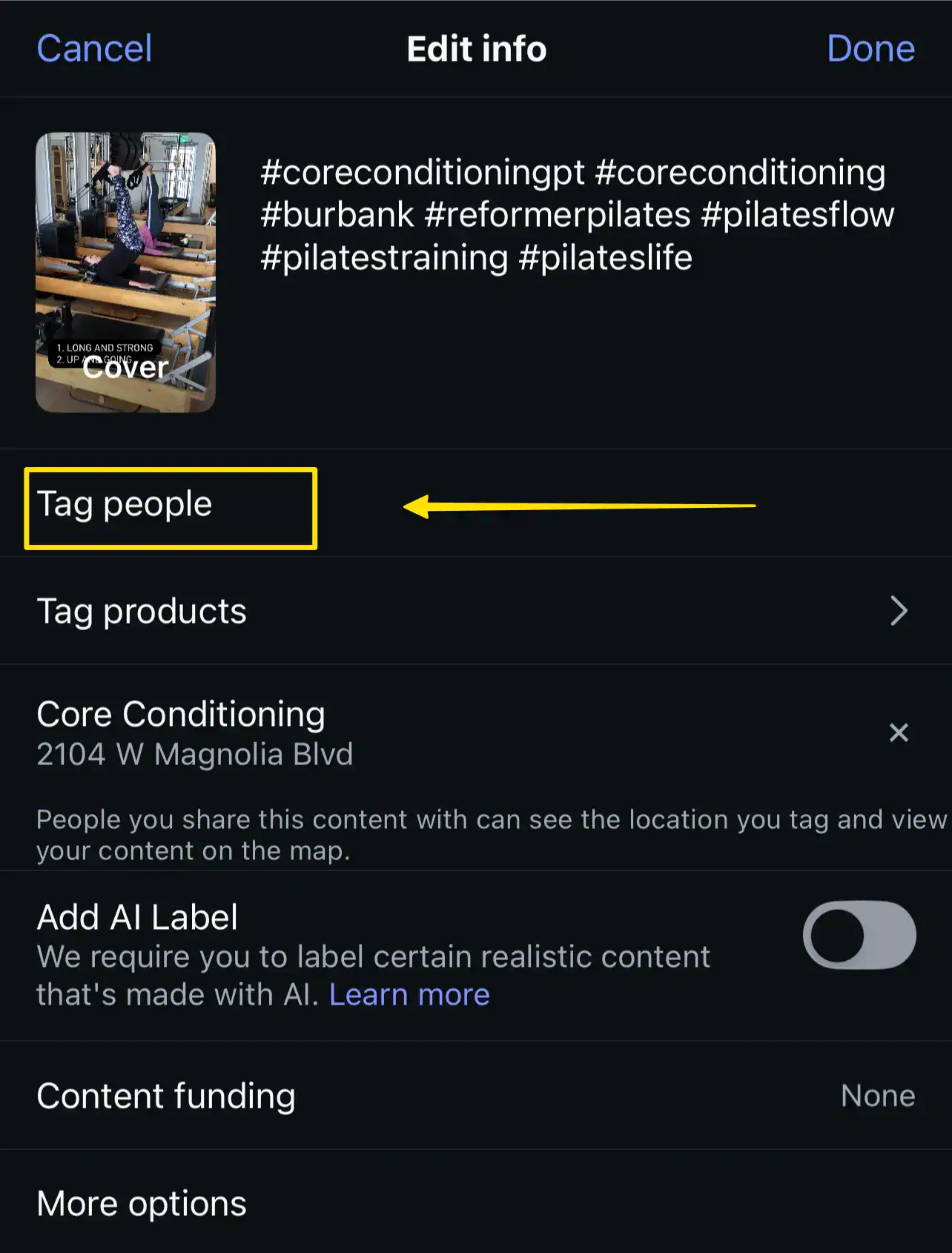
Look for "Tag people" option and tap it
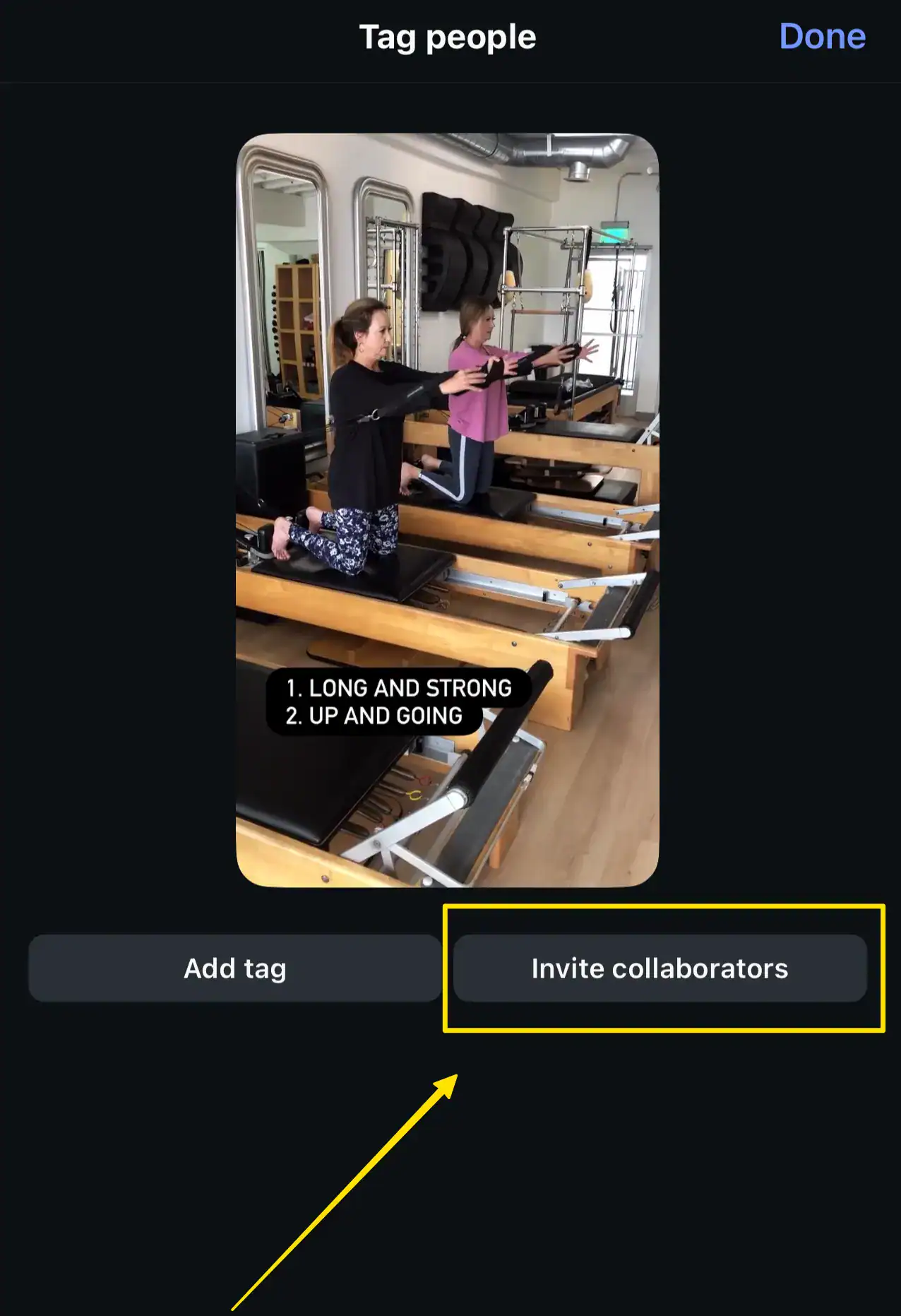
Tap "Invite collaborator" at the bottom of the screen
Search for the account you want to collaborate with
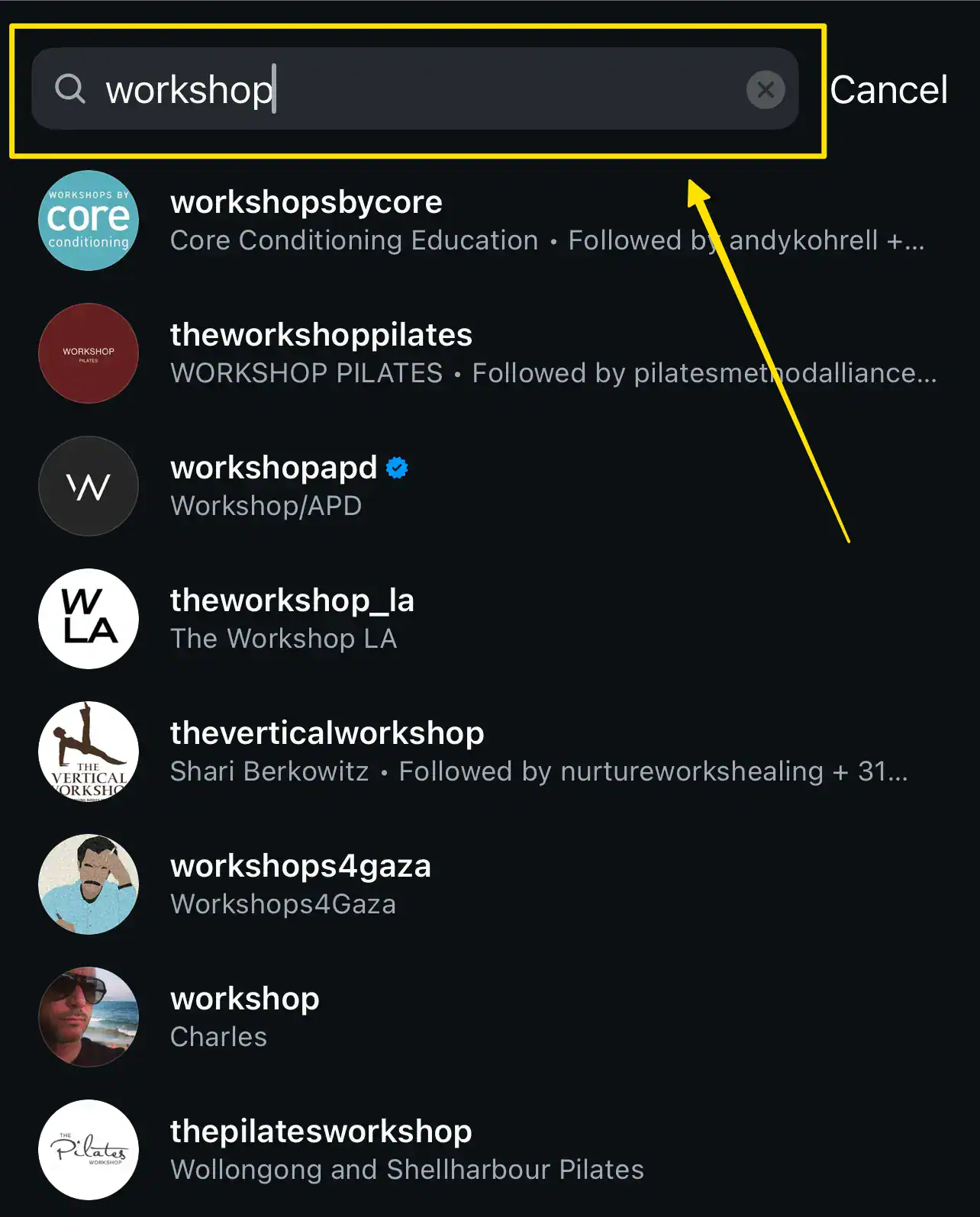
Select the account from the search results
Tap "Invite to collaborate"
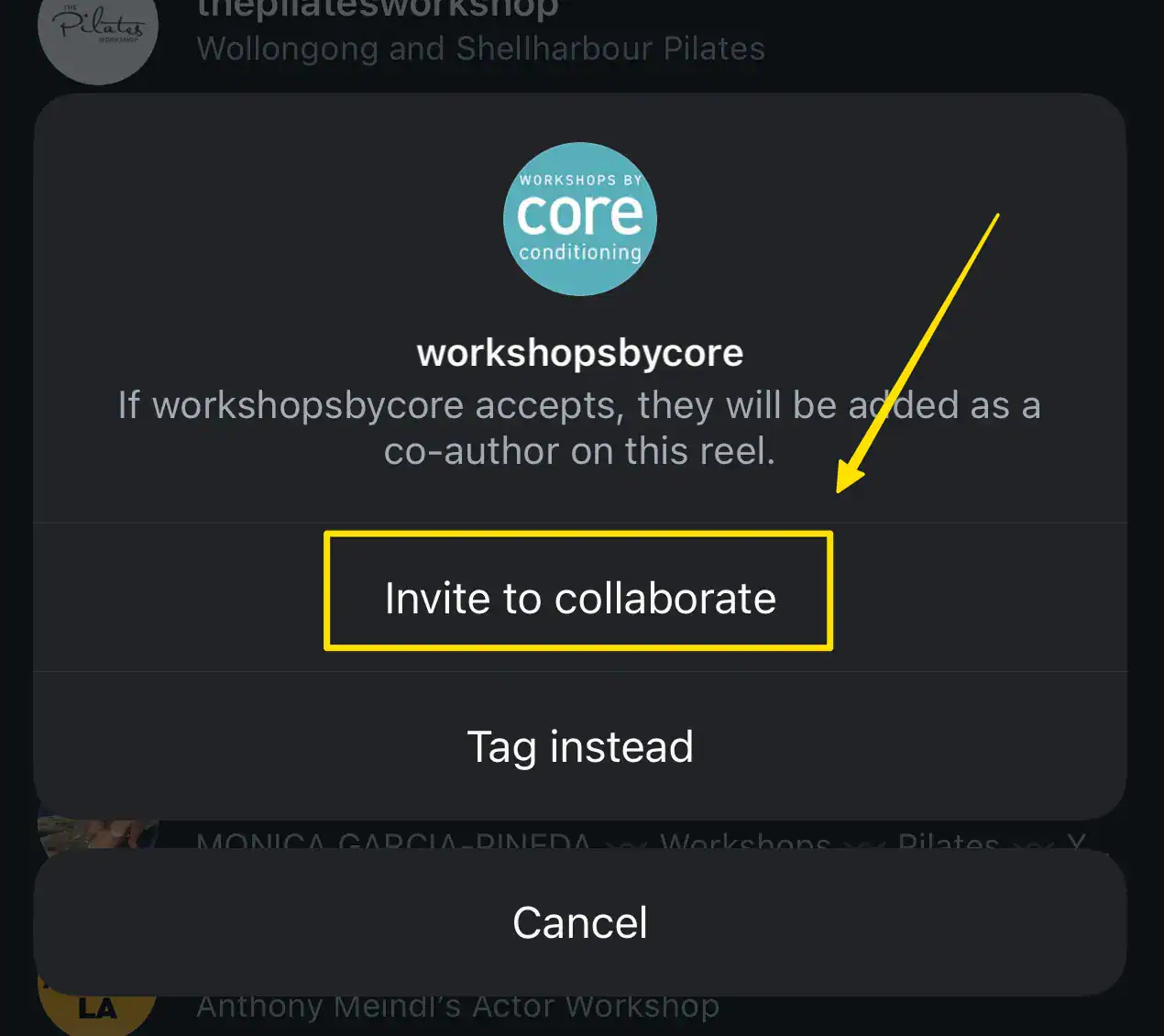
Step 3: Complete and Share
Add your caption, location, and other details as desired
Review the post to ensure everything looks correct
Tap "Share" to publish your post
Step 4: Wait for Approval
The tagged collaborator will receive a notification about your collaboration request. They must accept the invitation within 24 hours for the collaboration to take effect. If they don't accept within this timeframe, the post will still be published, but only on your account.
How to Add a Collaborator to an Existing Post
Unfortunately, you cannot add a collaborator to a post that has already been published. The collaboration feature must be set up before posting. If you need to collaborate on existing content, consider these alternatives:
Delete and repost with the collaborator feature enabled
Use the "Remix" feature if it's a Reel
Simply tag the person in the caption or image instead
Important Notes and Tips
Both accounts must be public OR follow each other to collaborate
You can only add one collaborator per post
The collaborator must accept the invitation within 24 hours
Once accepted, the post appears on both profiles
Either account can remove the collaboration at any time
The collaboration feature works for feed posts and Reels, but not Stories
Business and creator accounts can collaborate with personal accounts
Troubleshooting Common Issues
Can't Find the Collaborator Option?
Make sure your Instagram app is updated to the latest version. The collaboration feature may not be available on older versions.
Collaborator Not Receiving the Invitation?
Check that:
You've correctly spelled their username
Their account settings allow collaboration requests
They have notifications enabled
They're checking their notifications or direct messages
Collaboration Request Expired?
If the 24-hour window passes without acceptance, you'll need to delete the post and create it again with a new collaboration invitation.
Best Practices for Successful Collaborations
Communicate in advance: Discuss the collaboration with your partner before posting
Align on content: Ensure both parties approve the final content before sharing
Time it right: Post when both audiences are most active
Respond to the invitation promptly: Don't let the 24-hour window expire
Engage together: Both collaborators should engage with comments and interactions
Conclusion
Adding a collaborator to your Instagram posts is a powerful way to expand your reach and give proper credit to all content creators. By following these steps, you can successfully collaborate with other accounts and maximize the impact of your shared content.